> ## Documentation Index
> Fetch the complete documentation index at: https://docs.uifoundations.com/llms.txt
> Use this file to discover all available pages before exploring further.
# Introduction
> Welcome to UI Foundations Kit

 ## What is UI Foundations Kit?
UI Foundations Kit is a SaaS starter for MUI apps. It contains components, hooks, styles, and modules helpful for developers that are building dashboards for consumers, businesses, or internal teams.
It's main differentiating factor is its **beautiful default theme**.
### Comparisons
The following comparison screenshots demonstrate some of the differences between the default Material Design theme and the UI Foundations theme, which makes it easier to pick up and make beautiful apps.
## What is UI Foundations Kit?
UI Foundations Kit is a SaaS starter for MUI apps. It contains components, hooks, styles, and modules helpful for developers that are building dashboards for consumers, businesses, or internal teams.
It's main differentiating factor is its **beautiful default theme**.
### Comparisons
The following comparison screenshots demonstrate some of the differences between the default Material Design theme and the UI Foundations theme, which makes it easier to pick up and make beautiful apps.
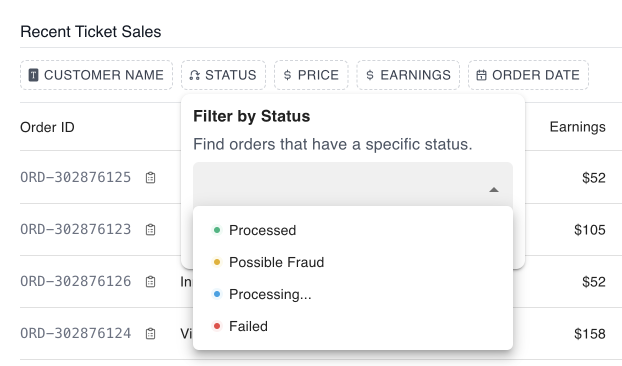
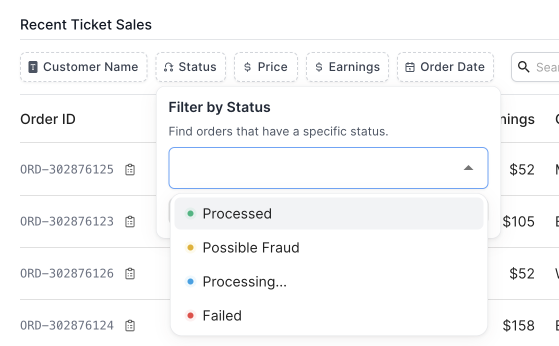
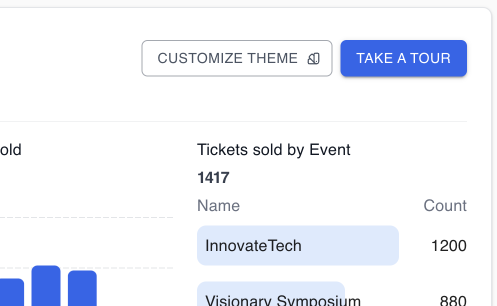
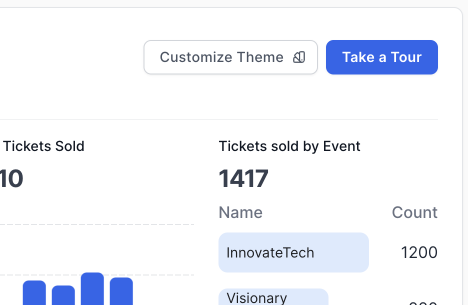
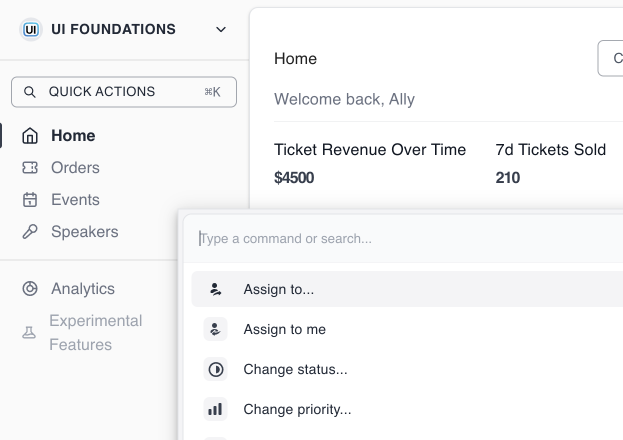
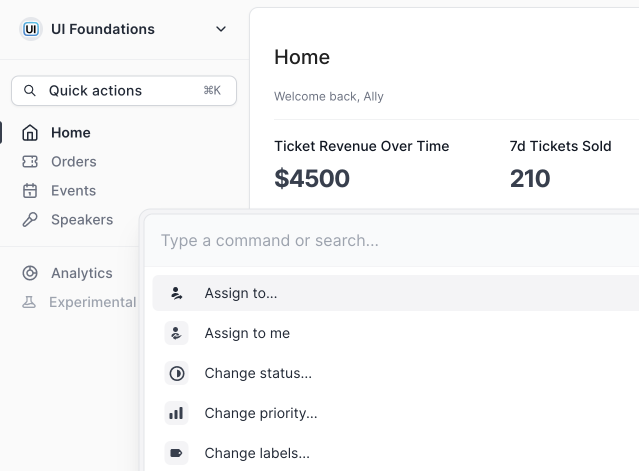
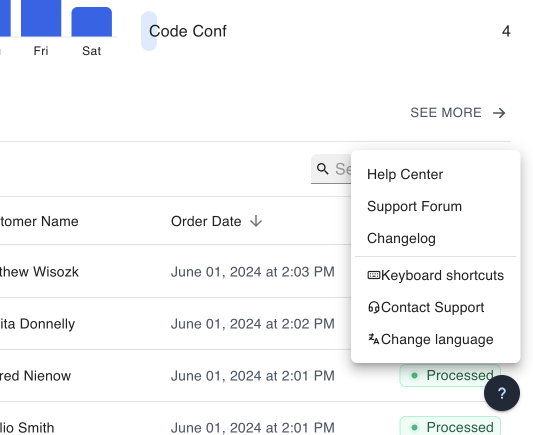
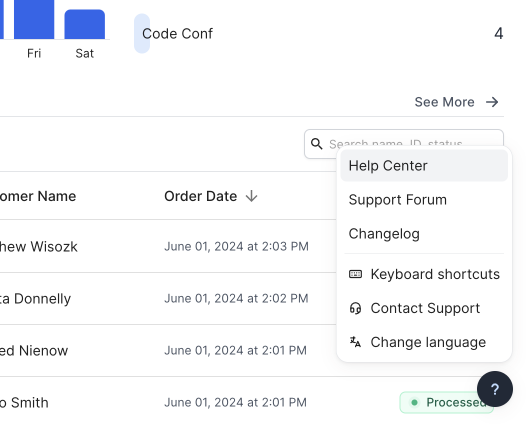


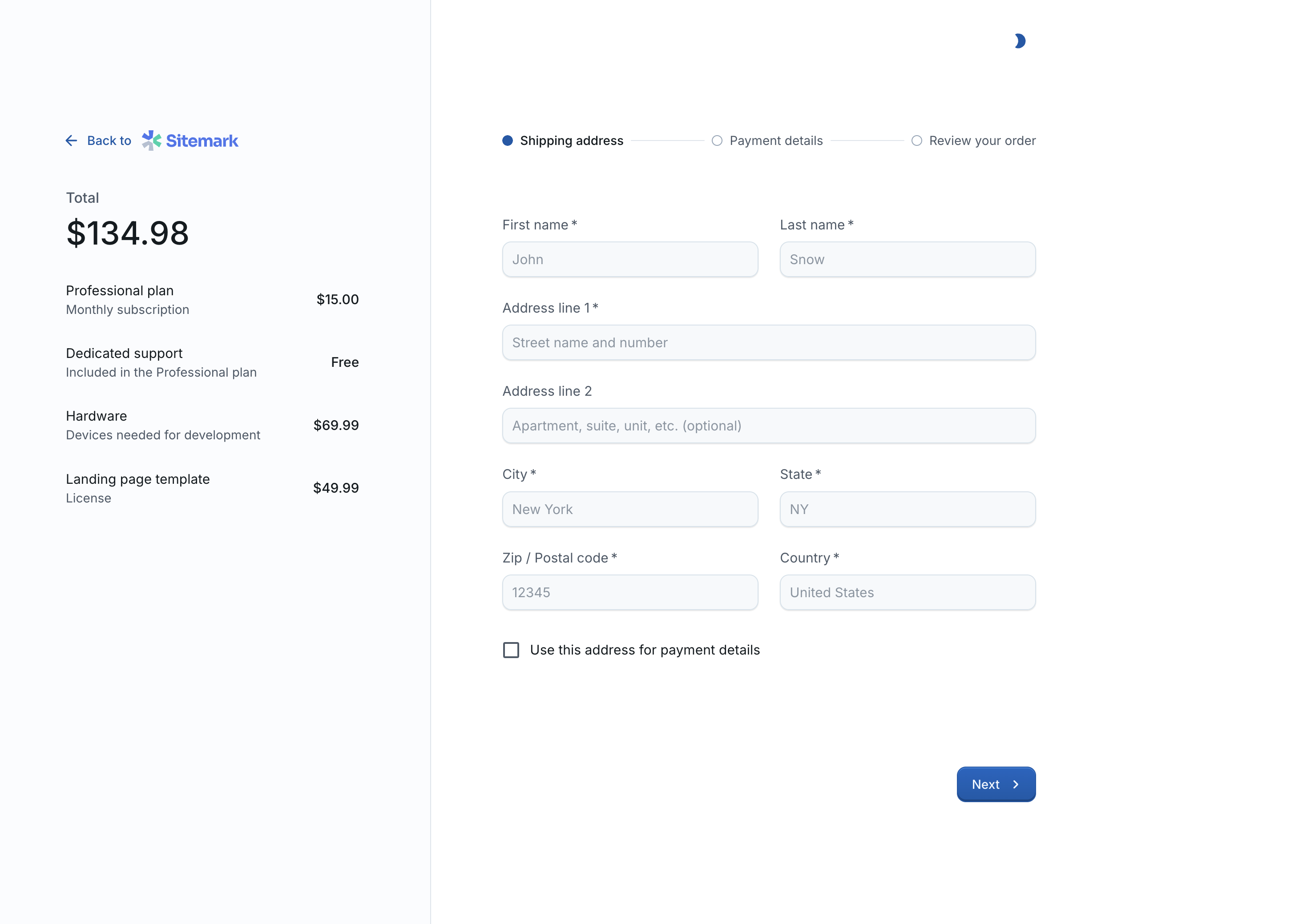
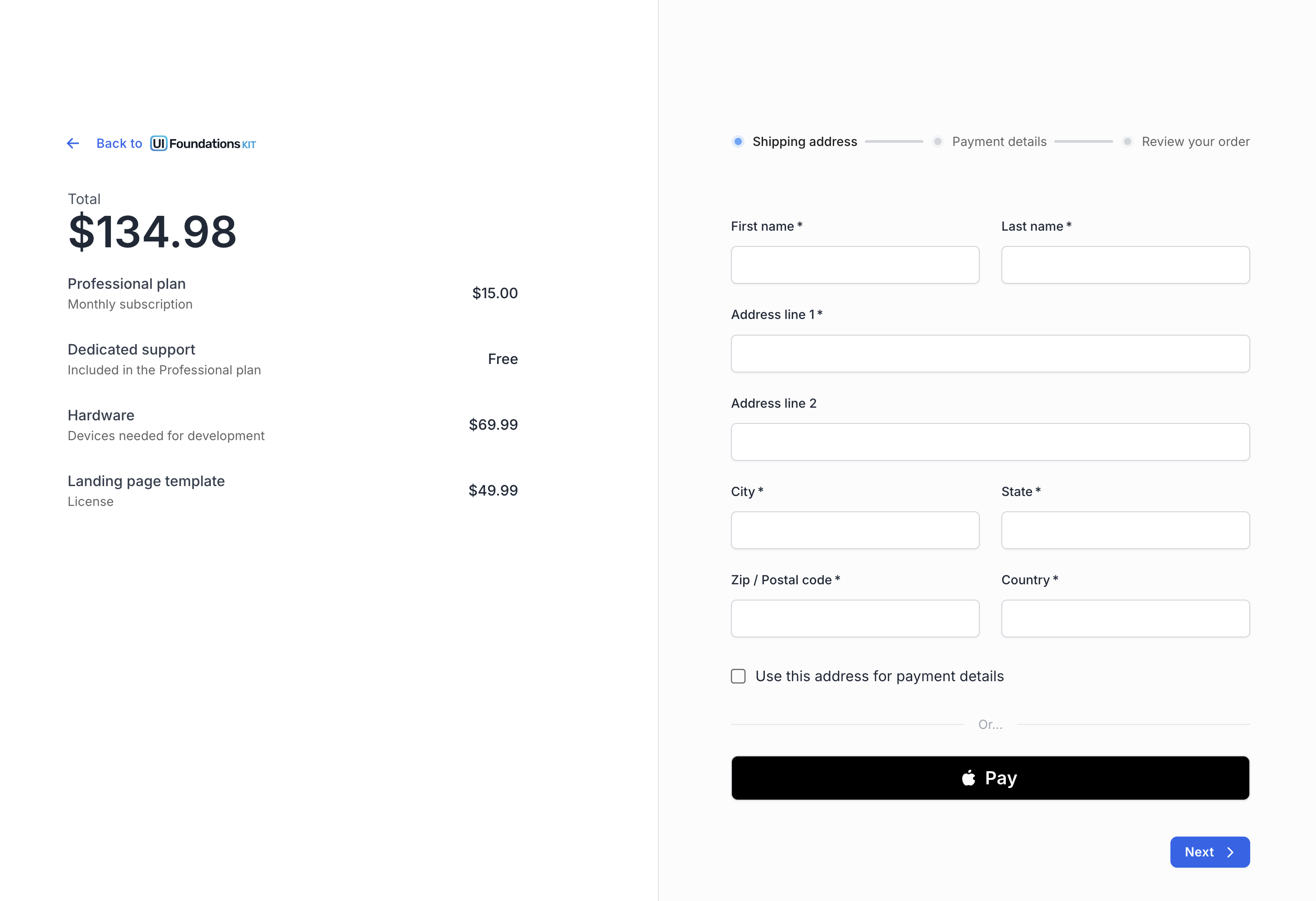
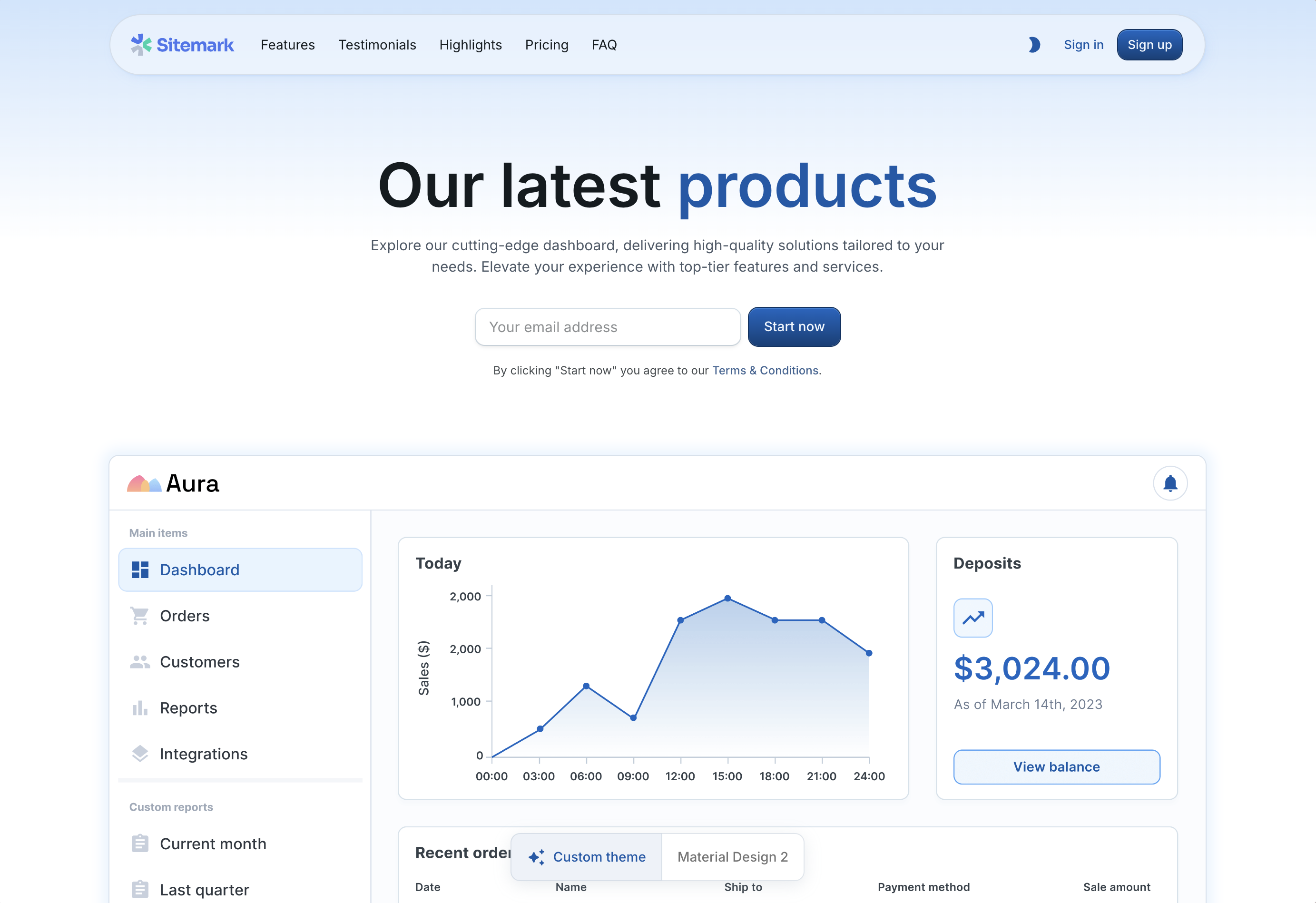
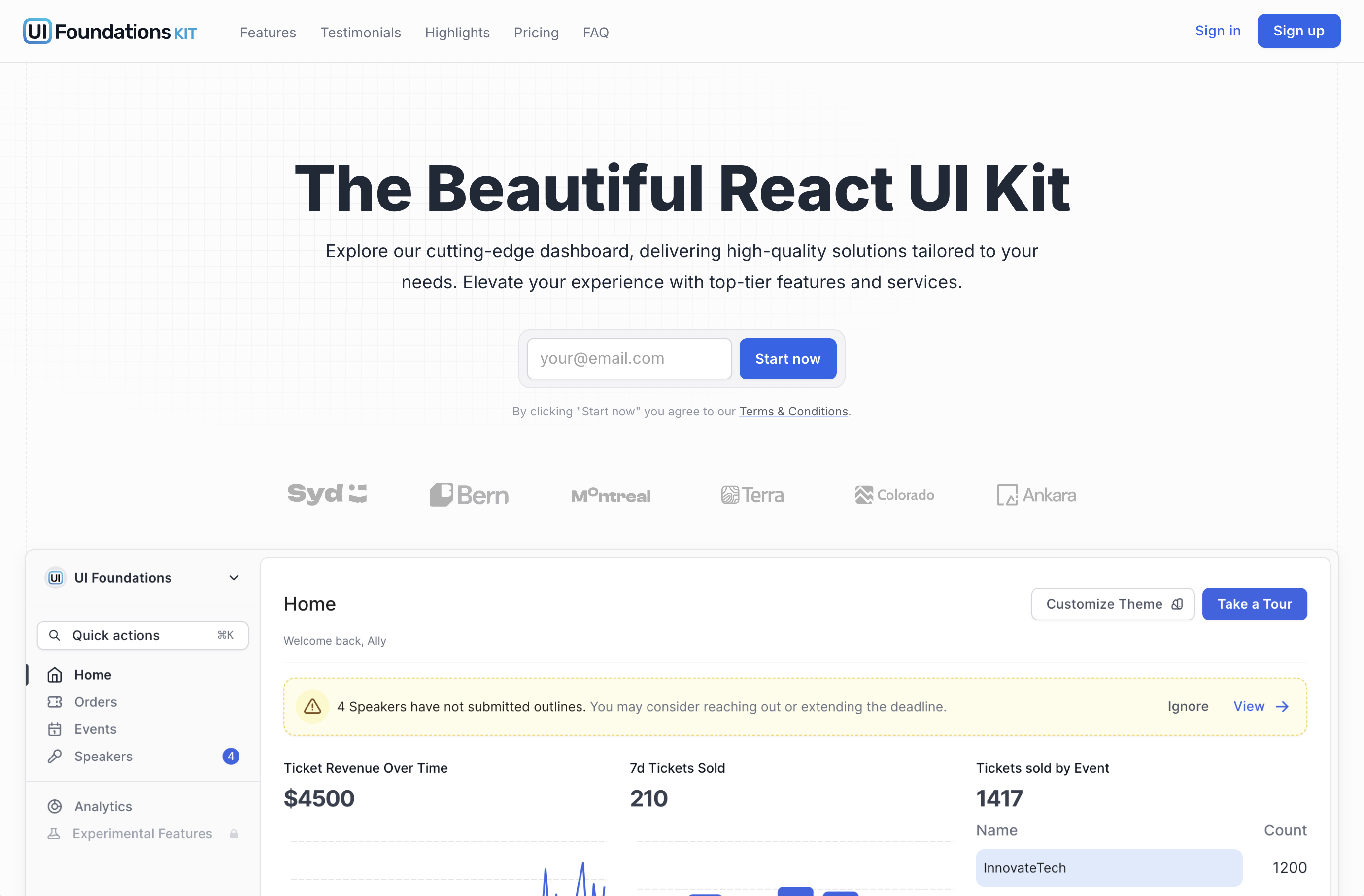 Some differences include:
* disabling of the button ripple effect
* sharper borders
* softer grays
* harmonic typography
* and more
These differences are described in more detail throughout these docs.
## What's Included
UI Foundations Kit offers all the bells and whistles you'd expect from a modern dashboard starter, including:
* 🧭 **In-app Tours** - replace paid SaaS tools with a custom implementation for orienting new users, and highlighting elements using your own custom components
* ⌘ **Command Launcher** - a global search bar that can be used to navigate your app, or execute commands, already assembled and ready to go
* 📂 **Custom Filters** - a commonly implemented filtering pattern with great TypeScript support, as well as threshold based filters (`field:price` `operator:>` `value:50`) that integrates with the ``, or your own custom backend
* 🔠 **Harmonic Typography** - automatically adjusting harmonic typography that adjusts tracking (or line-height) for you, anywhere you use the `` component
* 🎨 **Palette/Theme Switcher** - match your brand with any color/font/border-radius combination, modifiable in app
* 🌗 **Dark Mode** - built-in, without any flicker (FOUC) for all components
* 🧰 **Beautiful Native MUI components** - everything you've come to know from MUI like the ``, the ``, but with better default styles
* 📱 **Fully responsive designs** - looks great on mobile, desktop, tablet, etc
* 🎆 **Image file uploads** - file type inputs with well styled controls and image previews
* 📊 **Themed Charts** - MUI X Charts that match your brand and clean up default styles
In addition to these extra tools, UI Foundations Kit also runs on the latest version of MUI, including its newest features like the `CSSVarsProvider` for theming based on CSS variables.
The best way to get a feel for what is available is clicking around the [live demo](https://demo.uifoundations.com) yourself!
### Pre-built components
There are 2 types of components pre-built in the UI Foundations Kit:
1. **Kit Components**: ([preview](https://kit.uifoundations.com/components)) with zero dependencies (besides MUI) and designed to be easily copy/pasted into any React project using MUI
2. **App Components**: ([preview](https://demo.uifoundations.com/dashboard/home)) with more complex logic and state management, to demonstrate how to use the theme in a real-world application
You can read more about the differences in the [Components](/components/intro) section.
Some differences include:
* disabling of the button ripple effect
* sharper borders
* softer grays
* harmonic typography
* and more
These differences are described in more detail throughout these docs.
## What's Included
UI Foundations Kit offers all the bells and whistles you'd expect from a modern dashboard starter, including:
* 🧭 **In-app Tours** - replace paid SaaS tools with a custom implementation for orienting new users, and highlighting elements using your own custom components
* ⌘ **Command Launcher** - a global search bar that can be used to navigate your app, or execute commands, already assembled and ready to go
* 📂 **Custom Filters** - a commonly implemented filtering pattern with great TypeScript support, as well as threshold based filters (`field:price` `operator:>` `value:50`) that integrates with the ``, or your own custom backend
* 🔠 **Harmonic Typography** - automatically adjusting harmonic typography that adjusts tracking (or line-height) for you, anywhere you use the `` component
* 🎨 **Palette/Theme Switcher** - match your brand with any color/font/border-radius combination, modifiable in app
* 🌗 **Dark Mode** - built-in, without any flicker (FOUC) for all components
* 🧰 **Beautiful Native MUI components** - everything you've come to know from MUI like the ``, the ``, but with better default styles
* 📱 **Fully responsive designs** - looks great on mobile, desktop, tablet, etc
* 🎆 **Image file uploads** - file type inputs with well styled controls and image previews
* 📊 **Themed Charts** - MUI X Charts that match your brand and clean up default styles
In addition to these extra tools, UI Foundations Kit also runs on the latest version of MUI, including its newest features like the `CSSVarsProvider` for theming based on CSS variables.
The best way to get a feel for what is available is clicking around the [live demo](https://demo.uifoundations.com) yourself!
### Pre-built components
There are 2 types of components pre-built in the UI Foundations Kit:
1. **Kit Components**: ([preview](https://kit.uifoundations.com/components)) with zero dependencies (besides MUI) and designed to be easily copy/pasted into any React project using MUI
2. **App Components**: ([preview](https://demo.uifoundations.com/dashboard/home)) with more complex logic and state management, to demonstrate how to use the theme in a real-world application
You can read more about the differences in the [Components](/components/intro) section.